
Less busywork. More time for people.

We help church offices and small businesses hand repetitive drafting and organizing to AI, so staff have more time for judgment, relationships, care, and service. People still choose the direction, check the facts, and approve every result.

The consultation is free, with no obligation. We reply to arrange a time.

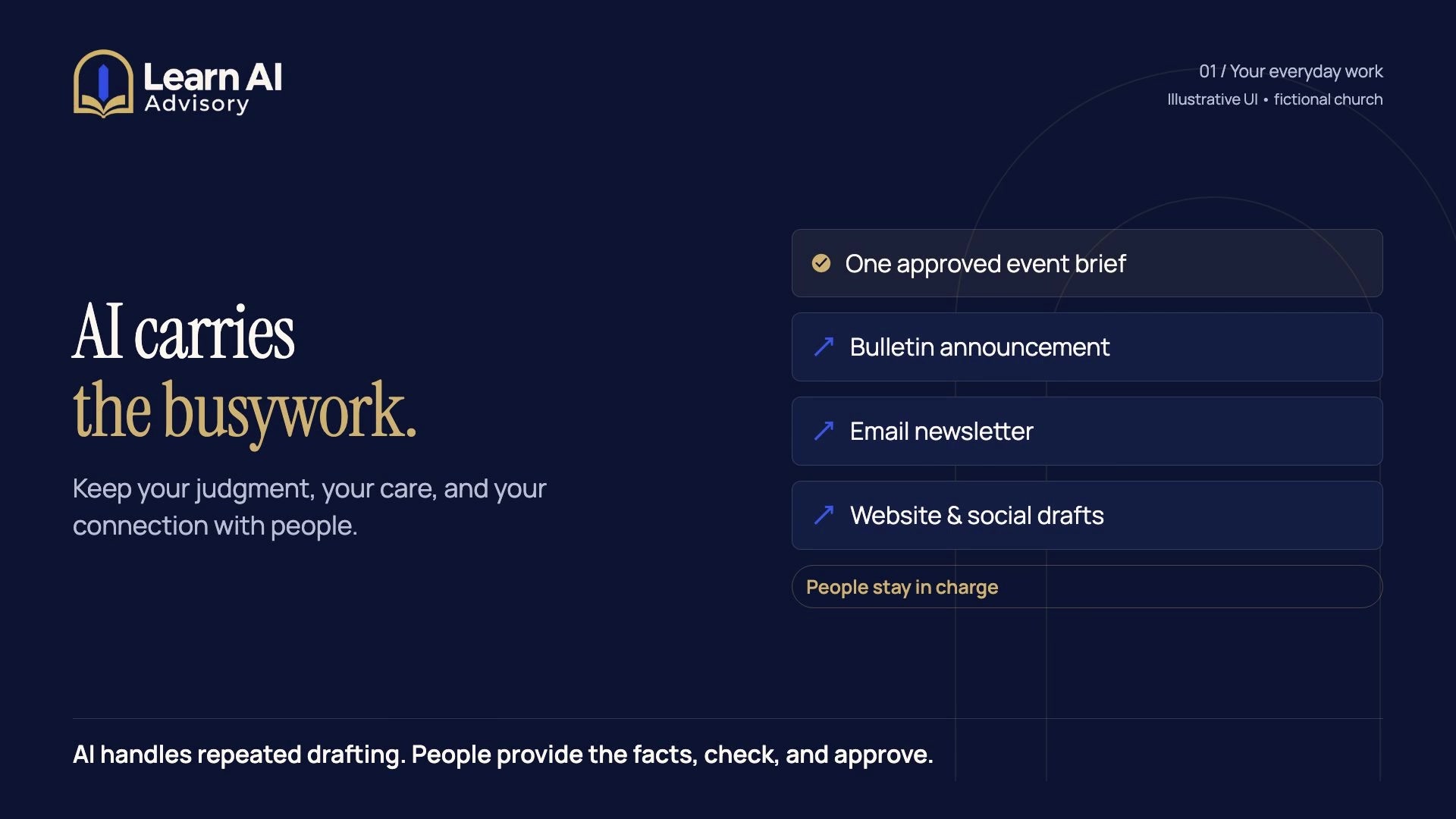
Product demonstration, 39 secondsFrom free consultation to the member area: a still image from the product demonstration.

Product demonstration with a fictional church: request, plan and implementation, membership, sign-in and member password, then the member area.

No sound. Plays on a loop while it’s on screen.
Read the transcript
Loading the transcript…

Open the transcript as a text file

AI takes the busywork

  • Drafting approved announcementsOne approved event brief becomes the bulletin item, newsletter blurb, web post, and caption.
  • Organizing routine notesMeeting notes sorted into decisions, owners, and due dates.
  • Adapting documents and follow-upsAn approved message reshaped for email, text, or print.

People keep the work that matters

  • DirectionPeople decide what the work is for and what goes out.
  • FactsA person checks every name, date, place, and link against the source.
  • ApprovalNothing is sent or published until a staff member approves it.
  • ResponsibilityThe organization, not the tool, stays accountable.

The time that comes back goes to judgment, relationships, care, ministry, service, and creative decisions.

Never handed to AIPastoral care and counseling, prayer requests with personal details, donor and giving records, personnel matters, and anything about children stay with people and out of AI tools.

Time and money, counted separatelyTime returned is estimated staff capacity. Cash savings are counted separately, and only when an expense really stops, such as a tool you no longer need.

How it works

Start with a free conversation. Each step after it is your choice, and every price is agreed in writing first.

  1. FreeNo obligation

    Step 1: Free introductory consultation

    Tell us where the week goes. We talk through the repetitive work, show a short demonstration with made-up information, and say honestly whether a plan is worth it. No obligation.

    • The repetitive tasks that crowd out people work
    • A short demonstration with made-up sample information
    • An honest answer on whether a plan makes sense
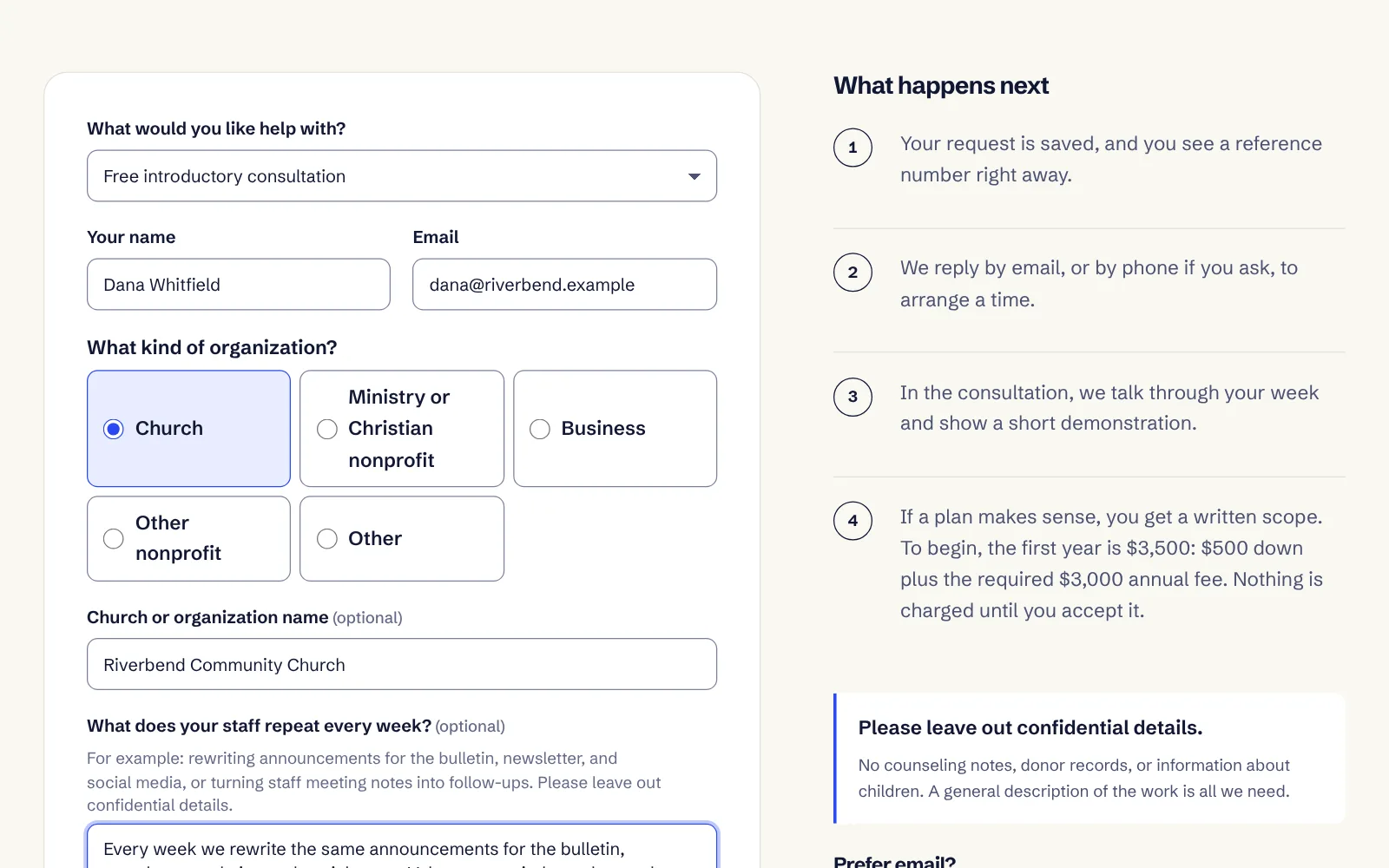
    The free introductory consultation request form on this site, filled in for a fictional church, beside the steps that follow: a written scope, then a $3,500 first year ($500 down plus the required $3,000 annual fee).
    Screen from this site, with a fictional church’s details.
  2. $500Down payment, required to begin

    Step 2: Start with the down payment

    The down payment starts a comprehensive plan for your office, then hands-on help putting the parts you accept to work: set-up in tools you already have, instructions your staff can follow, testing with your own approved material, and a handover.

    • A comprehensive written AI action plan for your office
    • Hands-on set-up, instructions, testing, and handover of the accepted scope
    • No hidden hour or workflow cap on those accepted deliverables
    • Outcomes
    • Tools
    • Inputs
    • Testing
    • Handover

    Written down before you commit. Bespoke development, travel, and outside vendor costs are never folded into a price. If your plan needs them, they’re disclosed and agreed in writing before you commit.

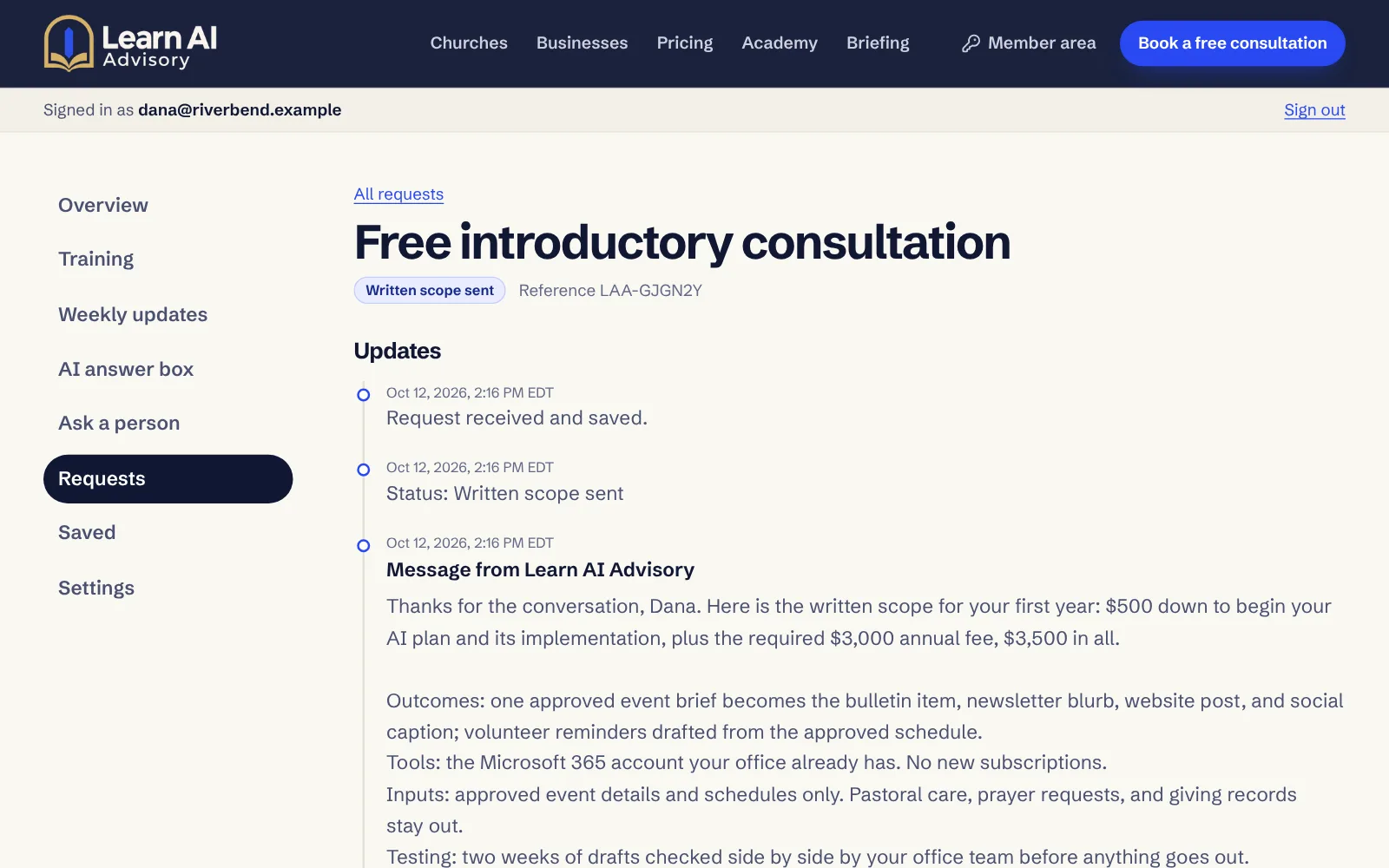
    A client’s request page showing the status “Written scope sent” and a message with the first-year terms ($500 down plus the required $3,000 annual fee, $3,500 in all) and the outcomes, tools, inputs, testing, and handover for a fictional church.
    Screen from this site, with a fictional church’s details.
  3. $3,000First year, required ($3,500 in all)

    Step 3: Annual fee, required

    Required with the down payment. A year of human guidance while the new habits settle in, with training, weekly updates, and the member AI answer box in your private member area.

    • Consultations by phone or in person as needed, arranged with you
    • Member questions answered by a person all year
    • Weekly AI updates, member training, and the member AI answer box

    Member benefits open once both first-year payments are confirmed. After the first year: $2,500 a year, only if you choose to renew. Nothing renews automatically.

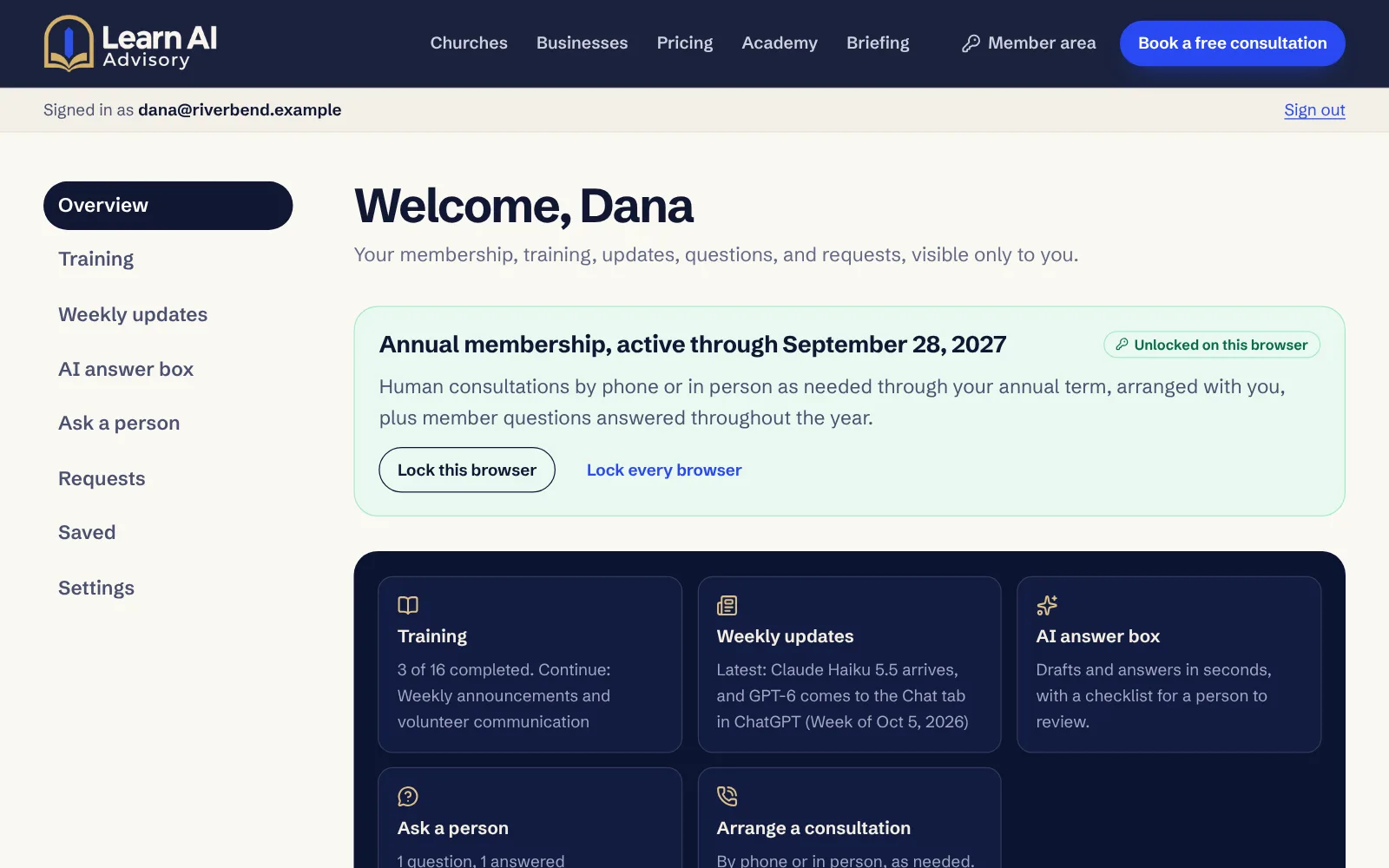
    The member area after unlocking with a member password: membership dates, then tiles for training, weekly updates, the AI answer box, asking a person, and arranging a consultation.
    Screen from this site, with a fictional church’s details.
The free introductory consultation request form on this site, filled in for a fictional church, beside the steps that follow: a written scope, then a $3,500 first year ($500 down plus the required $3,000 annual fee).
Screen from this site, with a fictional church’s details.
A client’s request page showing the status “Written scope sent” and a message with the first-year terms ($500 down plus the required $3,000 annual fee, $3,500 in all) and the outcomes, tools, inputs, testing, and handover for a fictional church.
Screen from this site, with a fictional church’s details.
The member area after unlocking with a member password: membership dates, then tiles for training, weekly updates, the AI answer box, asking a person, and arranging a consultation.
Screen from this site, with a fictional church’s details.

Inside the member area

The tools members use all year, and the habit behind every one of them: AI drafts, a person decides.

  • Training, templates, and first-week guideShort lessons, office playbooks, instruction templates, and a first-week guide.
  • Weekly AI updates and private feedPractical changes in AI tools and what they mean for your office, with a private feed.
  • Member AI answer boxDrafts and answers in seconds. Every answer comes with a checklist for a person.
  • Questions answered by a personAsk any time during your term; a person answers in your account.
  • Phone or in-person consultations as neededArranged with you when the work calls for it.

Two keys, both yours. Once both first-year payments are confirmed, members sign in with their own account (email, Google, or Microsoft), then enter a personal member password. The down payment alone, or signing in alone, opens nothing paid.

How member access works

On the secure sign-in screen, continue with your email address, Google (for Gmail), or Microsoft (for Outlook).

A real AI draft, checked by a person

Claude Haiku 5.5

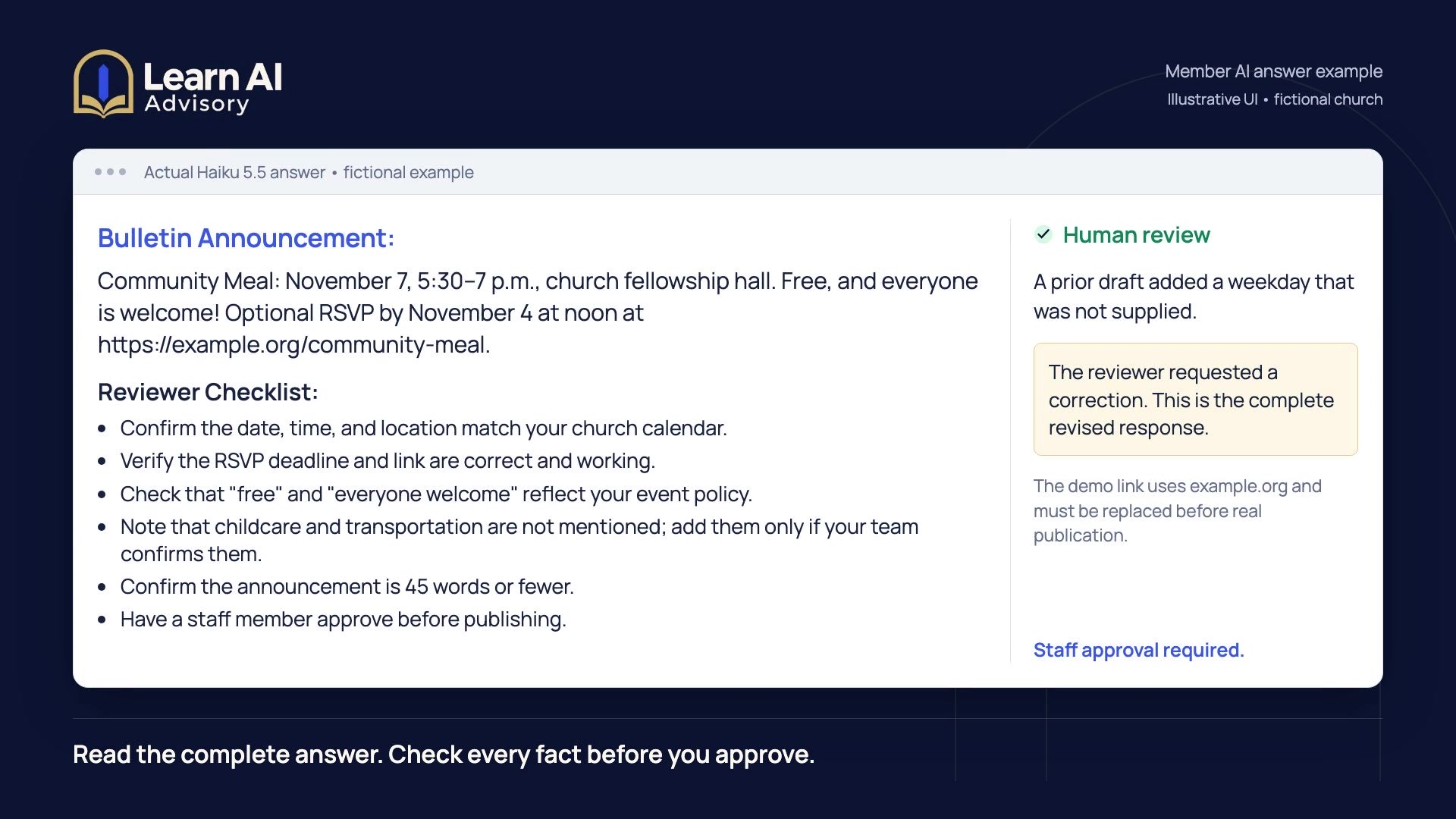
Asked forA short bulletin announcement for a free community meal, using event details supplied by staff, with a checklist for the person reviewing it.

Bulletin Announcement:
Community Meal: November 7, 5:30–7 p.m., church fellowship hall. Free, and everyone is welcome! Optional RSVP by November 4 at noon at https://example.org/community-meal.

Reviewer Checklist:

  • Confirm the date, time, and location match your church calendar.
  • Verify the RSVP deadline and link are correct and working.
  • Check that 'free' and 'everyone welcome' reflect your event policy.
  • Note that childcare and transportation are not mentioned; add them only if your team confirms them.
  • Confirm the announcement is 45 words or fewer.
  • Have a staff member approve before publishing.

Human reviewThe first draft added a weekday nobody had supplied. A person caught it in review, and the follow-up removed it. This is the final answer. A staff member still approves it before it’s published.

Response from Claude Haiku 5.5 in a test on October 12, 2026, using fictional church details. Shown as returned, without edits. Results vary, which is why a person checks every draft.
Watch the answer box at work

A staff member asks for a draft, the answer box writes it in seconds, and a person checks the facts and approves it before anything goes out.

Product demonstration, 30 secondsAsking the member AI answer box: a still image from the product demonstration.

Product demonstration with a fictional church: a question, the AI draft, and a person checking and approving it.

No sound. Plays on a loop while it’s on screen.
Read the transcript
Loading the transcript…

Open the transcript as a text file

What it costs

Every fee is agreed in writing and invoiced. There’s no online checkout, and nothing renews or charges automatically.

Introductory consultation

Free

No obligation. We look at your week together and say honestly whether a plan makes sense.

First year, required to begin

Down payment, to start your AI plan and agreed implementation
$500
Annual fee, required
$3,000
First year in all
$3,500

Renewal

$2,500 a year

Only when you choose to renew. Nothing bills automatically.

What nonmembers and members can use
What you can useNon­membersMembers
Free introductory consultationIncludedIncluded
Public demonstrations and examplesIncludedIncluded
Comprehensive AI plan and agreed implementation, part of the paid first yearNot includedIncluded
Private member loginNot includedIncluded
Training, templates, and first-week guideNot includedIncluded
Weekly AI updates and private feedNot includedIncluded
Member AI answer boxNot includedIncluded
Questions answered by a personNot includedIncluded
Phone or in-person consultations as neededNot includedIncluded

Member benefits open once both first-year payments, the $500 down payment and the $3,000 annual fee, are confirmed and your membership is recorded. Then you sign in and enter your personal member password. The down payment alone, or signing in alone, opens no member benefits.

Pricing details

Good questions

Do our staff need to be good with technology?

No. If your staff can use email and a shared document, they can use what we set up. We do the set-up with you, train in plain language, and build around your own tasks.

Does membership renew automatically?

No. Nothing renews or charges automatically. If you choose to continue after the first year, renewal is $2,500 a year, agreed and invoiced like the first year. Member access runs for the dates on your membership.

What stays with people, and out of AI tools?

Pastoral care and counseling, prayer requests with personal details, donor and giving records, personnel matters, payment details, health information, and anything about children stay with people and out of everyday AI tools, including the member AI answer box.

AI works from information that is meant to be shared, such as approved event details, or from routine notes with personal details removed. Your plan includes clear rules your staff can follow.

More questions and answers

Start with a conversation.

Tell us about your week. We’ll show you where AI could take the busywork, and where it shouldn’t.

Book a free consultation